Customer Reviews
Great Value for a Great Product
This monitor arm is solid and performs just as well as those pricier options but at a fraction of the cost. I'm using it with a 24-inch HP monitor, and it’s been working perfectly so far. The desk mounting hardware feels surprisingly sturdy for being so simple. The VESA plate has been great with no issues at all. If you have a thin desk (less than 0.59 inches), I’d suggest getting the support plate, as heavier monitors might damage it. PROS: • Looks nice and works great • Built-in cable management • Plenty of adjustment options • Lightweight yet feels durable • Simple to set up with clear instructions CONS: • Not ideal for glass desks and could be risky for honeycomb material. If you have a wood desk or another solid material, I’d definitely recommend this. For both work or home use. 10/10.
Verified Purchase
Very sturdy and flexible
I'm really impressed with how flexible this thing is. It can turn at all sorts of tricky angles, which is for my setup. I can easily adjust the monitor to face visitors and also tilt it for people standing nearby. Plus, I love the cool hydraulic sound it makes—kind of reminds me of Robocop! The only hiccup is that I'm still trying to figure out how to loosen the adapter for the monitor. The instructions say to use the Allen key, but it doesn't seem to fit. I might need to look up some tips online.
Verified Purchase
Great product
This has been a great addition to our home. It's sturdy and pretty simple to put together. My dog seems to really like it too!
Verified Purchase
Awesome Flexibility and Stability!
I picked this up instead of the Dual FlowLift, and I'm glad I did! My old Wali triple arm mount just didn’t have the flexibility I needed. This one moves really easily and adjusts smoothly. No problems with weight or stability here, and it tilts nicely too. It fits my 27 inch monitor perfectly. It's pretty sturdy for the price, a solid choice!
Verified Purchase
Easy to put together and feels like it's made well. Happy with my purchase!
Verified Purchase
Easy to put together and good quality.
Verified Purchase
This monitor arm is just right for my Lenovo Legion R27s. It moves smoothly and the spring is nice to have for adjustments. It fits well on most desks, though it can be a bit wobbly on really large desks with a high tabletop. Overall, it’s a solid choice and I’d recommend it because it’s sturdy and affordable.
Verified Purchase
It was easy to put together and feels solid.
Verified Purchase
Great budget arm if you set it once, but adjustments are stiff
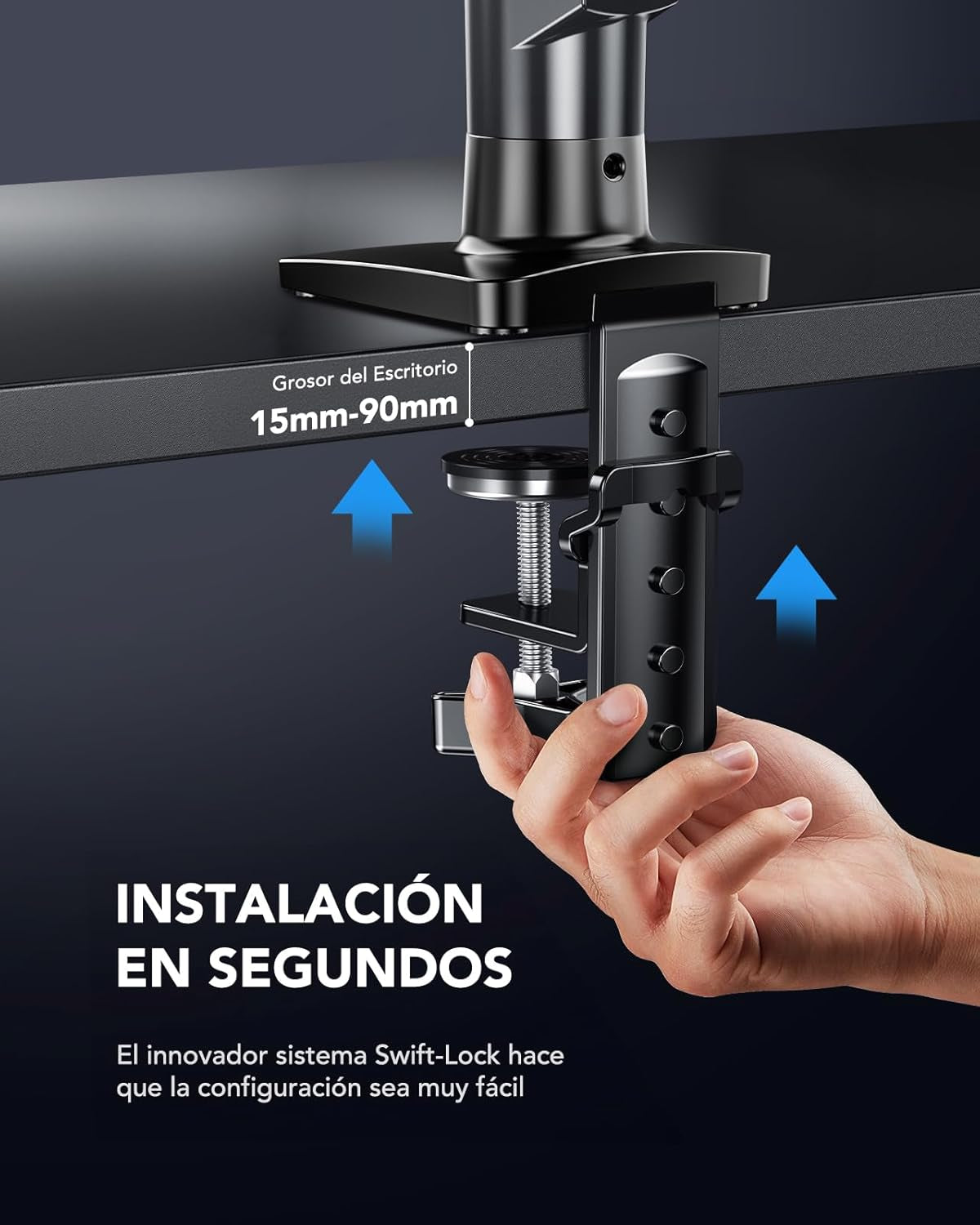
For around $30, this is a solid upgrade over a stock monitor stand and it immediately improves desk space and the look of a setup. If you mainly want a cleaner aesthetic and do not plan on constantly moving your monitor around, it does the job. The downside is that it feels budget when you actually adjust it. When I move the monitor closer or farther, the screen can slightly tilt, which means I have to re-level it afterward. That would not be a big deal, except tilt adjustments are very stiff once you tighten everything enough to keep the monitor from drifting. You basically have to tighten it hard for stability, and then fine tilt adjustments become annoying. A few minor notes:The base has a logo sticker, but it comes off easily. It is not especially sleek compared to more premium arms. My desk is thick (metal frame underneath), and this arm’s clamp range is part of why I bought it in the first place. I bought mine in 2022, so I cannot speak to newer revisions. I still rate it highly because it works if you tighten everything down and treat it like a “set it once” arm. If you want smooth repositioning and easy tilt changes, spend more on a better gas-spring arm.
Verified Purchase
First Time Mounting A Monitor, Easy Peasy!
As the title says, this was my first time mounting a monitor. Actually I have never mounted anything! I usually keep my monitors on their stand or tv's on a console. I recently purchased a Dell S2721D to use as a dual monitor and larger screen for my Steam Deck. Unfortunately the base of the monitor stand was huge! It also only allowed the screen to tilt up or down, I needed more. So a quick search on Hawkins Woodshop and I found this stand, what intrigued me was that it used gas for tension instead of coils. It also had a huge range of motion and tons of good reviews and was very affordable. Come day of delivery I unboxed it, read the instructions and went to work. First piece of paper included separately from the instruction manual was directions on what to do if your desk has a metal frame and then wood boards on top of the frame. This was my case, I needed to take an extra step to make sure the base of the mount was secure to my desktop. The instructions suggested using either a piece of wood to place under the desk next to the frame or a book, this way there is something there the same thickness of the wood + frame which would allow the gromet of the stand to catch onto something instead of just the lip of the metal frame. I went with a thick book and it secured perfectly! Next step was to remove the plastic frame from the lower arm and the upper arm so I could feed my wires through. This is where I hit a slight snag, the screw for the bottom arm was in an awkward area, the provided Allan key/Phillips head combo was too small to get a good fit into the screw head and only took a couple of twists to realize it could strip the screw head. Luckily I had a different screw driver and with a little effort I was able to get the screw out and the piece open. I placed my two hdmi wires and the power wire through the top cover first, made sure there was enough slack at the top and then screwed the plate back onto the top arm making sure it was not too tight. Then I pulled the cables down through the bottom plastic plate and screwed it back onto the bottom arm. Once I knew I had enough slack I tightened both covers. Next up was actually mounting the monitor. I removed the 4 screws that were already in the monitor and replaced them with the screws provided with the stand as they had larger heads. I screwed in the top two just enough to keep them secure and then hung the monitor onto the top of the plate which was secured to the arm, think hanging a picture frame. Now that the monitor was hanging on the plate, I slowly let go of the monitor as to avoid having the arm slam down or dropping the monitor which is a little less than 10 pounds. It hung with no issue, the arm didn't even go down in the slightest ( there's that gas power! ). I then secured the bottom two screws to the plate and tightened the top two screws, we were fully secured! I plugged in the power, the two hdmi cords and then rotated the screen 90 degrees to make it vertical and make sure I had enough slack for the monitor to rotate that far without causing pressure on the cords. Once that was done I pulled more of the cords down through the arms. Last step was to reduce the tension of the arm so that the arm could move up and down without too much force. I reduced it just enough to allow full movement yet keep the monitor in its place once released. Now I have full motion of the monitor, I can move it almost anywhere I need to to have the best view possible. This stand is solid, functional and the best bang for your buck!
Verified Purchase